ChainDownload for Windows

The changelog

Every update.
Another link.

A record of a growing forge.
New ideas, thoughtful details, and more reasons to sit down and build something.

Forging since
July 2026

November 2026

All aboard the Night Train.

A second Place to focus in, a real choice at each Place pick, a gentler first session and a clearer Chain around them.

One place to begin. A clearer path through Chain.
One place to begin. A clearer path through Chain. Product imagery
  • The Night Train

    A lamp-lit sleeper carriage with a wide window. The train pulls out when you start a session and comes in when you bank, with a level crossing each quarter hour and a lit station each full hour. A break is a halt at a small platform.

  • A real choice at each Place pick

    The pick at level 8 opens the Reading Room or the Night Train, and the pick at level 20 opens the other. After ten hours on the train, Your Line maps every session, with a station for each full hour.

  • A gentler first session

    Until your first saved session, banking before a minute asks whether to keep going instead of discarding it. A short first receipt shows when tomorrow's reminder will come, with Turn off.

  • Easier to read, quieter in the background

    The faintest text in the light theme is darker, Done is the receipt's button, and Chain says "Link ready" instead of "secured" until you bank. It also contacts the server far less while it is hidden.

All changes

Windows 1.5.0

A second Place to focus in, a real choice at each Place pick, a gentler first session and a clearer Chain around them.

New

  • The Night Train, a second Place. A lamp-lit sleeper carriage with a wide window. The train pulls out when you start a session and comes in when you bank. A level crossing passes each quarter hour, a lit station each full hour, and a break is a halt at a small platform. The country outside follows your local time. Its sound is the train itself: the low roll of the carriage and the rail joints, which quicken out of a station and slow into one.
  • A real choice at each Place pick. The pick at level 8 opens the Reading Room or the Night Train, and the pick at level 20 opens the other. If you already own the Reading Room and are level 20 or higher, your second pick is waiting in the Wardrobe.
  • Your Line. After ten hours of focus with the train chosen, the line climbs under a snow range, with tunnels and viaducts, and Your Line appears with your hour plates: a route map of every session since you chose the train, with a station for each full hour.
  • A question before your very first stop. Until your first saved session, pressing Bank it before a minute has passed asks whether to keep going instead of discarding the session: "Sessions under a minute are not saved.", with Keep going or Stop. Stop discards it as before, with the notice that can bring it back. The question goes away by itself at one minute, when Bank it saves. This covers the Bank button and the global hotkey, which opens Chain to the question. Once you have a saved session, nothing changes.
  • The day-2 reminder on a short first receipt. A first session under 20 minutes now shows when tomorrow's reminder will come, under Done, with Turn off. On Microsoft Store installs it offers the reminder with "Chain will start with Windows.", and the tap asks Windows to allow that.

Changed

  • No goal on a one-goal project. Choosing what to work on now lists the goal, No goal and New goal, as a project with several goals already did. Pick No goal to focus on the project without adding to its castle; Chain remembers that for the project until you pick a goal or set a new one.
  • The "older Chain" warning when setting a second goal has a ×. Dismissing it removes it for good on that device.
  • Easier to read in the light theme. The faintest text (status lines, hints, axis labels and placeholders) is darker. The dark theme is unchanged.
  • Done is the receipt's button. Done on a session receipt is now a proper button, the clearest way out; Replay is quieter.
  • Working toward says it once. When a ring upgrade or a Place pick is ready, the Working toward card on Rewards says so once, above its button.
  • "Link ready", not "secured". The focus timer no longer says "Today's link is secured" before you have banked. When a first sit of the day passes 20 minutes it says "20 minutes · bank it to add today's link", then "Link ready". A day you already secured with an earlier bank still says "Link secured". The mini window says the same.
  • Quieter in the background. Chain contacts the server far less often while it is hidden or in the tray. The Guild board and the Great Hall pause while hidden and refresh as soon as you come back.

Fixes

  • Choosing a goal on Goals now scrolls to its castle and details; before, it changed only what was below the fold, so it looked as if nothing happened.
  • After a first day without a 20-minute session, the day-2 reminder said "Link 2 is waiting". It now says "Your first link is waiting".
  • A first session under 20 minutes that started in the evening (at or after the evening reminder's hour) now gets its day-2 reminder, at the hour it started. Before, none was sent.
  • A session under a minute brought back with "Restore to Journal" no longer counts as your first session for the day-2 reminder, which could plan it from the restored session instead of your real first one.
  • The sign-in, code and friend-code fields showed no focus ring, so keyboard users could not see where they were typing.
  • Two Settings summaries started with a lower-case letter.
Original release notes

Android 1.0.0

A second Place to focus in, a real choice at each Place pick, a gentler first session and a clearer Chain around them.

New

  • The Night Train, a second Place. A lamp-lit sleeper carriage with a wide window. The train pulls out when you start a session and comes in when you bank. A level crossing passes each quarter hour, a lit station each full hour, and a break is a halt at a small platform. The country outside follows your local time. Its sound is the train itself: the low roll of the carriage and the rail joints, which quicken out of a station and slow into one.
  • A real choice at each Place pick. The pick at level 8 opens the Reading Room or the Night Train, and the pick at level 20 opens the other. If you already own the Reading Room and are level 20 or higher, your second pick is waiting in the Wardrobe.
  • Your Line. After ten hours of focus with the train chosen, the line climbs under a snow range, with tunnels and viaducts, and Your Line appears with your hour plates: a route map of every session since you chose the train, with a station for each full hour.
  • A question before your very first stop. Until your first saved session, pressing Bank it before a minute has passed asks whether to keep going instead of discarding the session: "Sessions under a minute are not saved.", with Keep going or Stop. Stop discards it as before, with the notice that can bring it back. The question goes away by itself at one minute, when Bank it saves. This covers the Bank button and the notification's "Bank it" action, which opens Chain to the question. Once you have a saved session, nothing changes.
  • The day-2 reminder on a short first receipt. A first session under 20 minutes now shows when tomorrow's reminder will come, under Done, with Turn off. When notifications are not allowed yet, it offers "Remind me tomorrow around 3:00 PM", and the tap asks for the permission.

Changed

  • No goal on a one-goal project. Choosing what to work on now lists the goal, No goal and New goal, as a project with several goals already did. Pick No goal to focus on the project without adding to its castle; Chain remembers that for the project until you pick a goal or set a new one.
  • The "older Chain" warning when setting a second goal has a ×. Dismissing it removes it for good on that device.
  • Easier to read in the light theme. The faintest text (status lines, hints, axis labels and placeholders) is darker. The dark theme is unchanged.
  • Done is the receipt's button. Done on a session receipt is now a proper button, the clearest way out; Replay is quieter.
  • Working toward says it once. When a ring upgrade or a Place pick is ready, the Working toward card on Rewards says so once, above its button.
  • A calmer Today. The Feedback link moved off Today (it is still in Settings), and the project choice lines up with the rest of the screen.
  • Breaks say how long you have. During a break the banner says "Resume within 4:58" instead of repeating "On a breather".
  • Easier to tap. The project colour dot and colour swatches, the close button on sheets, Skip on the welcome screens, "New code" and "Remove friend" are easier to hit with a thumb. Nothing moved on screen.
  • Quieter in the background. The Guild board and the Great Hall pause while Chain is hidden and refresh as soon as you come back.

Fixes

  • Choosing a goal on Goals now scrolls to its castle and details; before, it changed only what was below the fold, so it looked as if nothing happened.
  • After a first day without a 20-minute session, the day-2 reminder said "Link 2 is waiting". It now says "Your first link is waiting".
  • A first session under 20 minutes that started in the evening (at or after the evening reminder's hour) now gets its day-2 reminder, at the hour it started. Before, none was sent.
  • A session under a minute brought back with "Restore to Journal" no longer counts as your first session for the day-2 reminder, which could plan it from the restored session instead of your real first one.
  • On Goals, the "New project" row no longer cuts off its name and hint on a narrow phone.
Original release notes

Every strike on the receipt.

Your receipt shows what a session struck and plans tomorrow in one tap, and Rewards says plainly what you're working toward.

A moment to see what your focus became.
A moment to see what your focus became. Product imagery
  • Strikes on the receipt

    Once you earn metal, every receipt with strikes shows what that session struck, with the metal it adds. What a session earns hasn't changed.

  • Tomorrow, in one tap

    After the session that secures your day, the receipt offers tomorrow at the time you usually start, with what you worked on. Remind me plans it, and that day's reminder comes at your time instead of in the evening.

  • Know what you're working toward

    Working toward shows the prize, one sentence on what to do and how far is left. A receipt says what the session moved, medals included.

  • 25/5 focus blocks

    One tap lays out four 25-minute blocks with a 5-minute break between each. A break is always your choice, and it counts nothing.

All changes

Windows 1.4.1

See your strikes as you bank, know what you're working toward, plan tomorrow in one tap, clearer goals and a kinder chain.

New

  • Go again. Once today's link is secured, Today's start button reads Go again with how far you are from the next mark ("Go again · 34 min to a full hour"), and the receipt says the same distance in one line above Done ("34 min to a full hour today"). It stays quiet in Quiet mode, late at night, after a long day and right after a very long session.
  • Tomorrow, in one tap. After the session that secures your day, the receipt offers tomorrow at the time you usually start, with what you worked on ("Tomorrow · 9:00 AM · Thesis"). Remind me plans it and Chain reminds you then; Turn off takes it back. If the receipt didn't offer it, for example because you secured the day on your phone, Today offers the same line once that evening. A plan made on either device reminds you on both. It follows the "Planned focus reminder" setting and Quiet mode, and never suggests a time in the middle of the night.
  • One reminder for a planned day. A planned start takes the place of that day's evening reminder. If Chain could not remind you at the planned time (the computer was asleep, say), the evening reminder still comes, and Today says under the start button: "You had 9:00 AM planned — a session still counts."
  • Strikes on the receipt. Once the Vein is open, every receipt with strikes reveals them in one line, with the metal they add ("+4 strikes · copper, iron, iron, STEEL"); if it found steel or better, the rarest appears after a short pause. You no longer save strikes up for one reveal in the Vein: strikes still waiting from earlier sessions are revealed on the next receipt that has strikes of its own, which says how many of them waited. What a session earns is unchanged. Damascus and meteoric each arrive with a moment of their own: a folded pattern and a falling star. Each rare grain names its odds ("Epic grain · 1 in 67").
  • Longer sits. When your sessions have clearly grown longer, the Journal's This week card says so: "You now sit 43 minutes on average, up from 28 in August." It compares the last four weeks with an earlier month, needs enough sessions in both and never reports a drop.
  • After a missed day. Today no longer greets you like a newcomer. It says "Your longest chain: 23 days. Today starts a new one."
  • A question before a short bank. When banking would leave a running chain's day without its link, Chain asks first ("5 minutes to today’s link"), with Keep going or Bank anyway. This covers the Bank button and the global hotkey; press the hotkey again to bank anyway.
  • The first receipt says "20 minutes tomorrow adds link 2."
  • Microsoft Store edition: choosing the first receipt's reminder, or planning tomorrow, also lets Chain start with Windows, so the reminder can arrive after a restart. If Windows says no, no reminder is promised.
  • Edit a goal in one click. A pencil beside the goal's title on Goals opens it straight on its edit form.
  • Doors that land where they say. On the Guild board, a row's mastery seal opens that person's profile on Medals, and the goal on a row's work line opens their profile on Goals with that goal marked. Inside a profile, the mastery seal, History milestones and skyline castles take you to what they name. In the Great Hall, a finished goal opens that goal and an inspected medal links to it.
  • The First Fire. If your account's focus had synced when the plate was sealed on 31 October 2026, your Forgemark is struck into a bronze plate in the order of your first session. A short ceremony lets you strike it in yourself; your number sits beside your name on your profile, and tapping it opens the whole plate.
  • Know what you're working toward. Working toward, on Rewards, shows the prize with its picture and one line on what it is, one sentence on what to do, and how far is left. Places and ring upgrades show the hours of focus they take at your pace; medals show their count with a unit ("18 of 50 returns · 32 returns to go"). Change lists Places and your closest ring upgrades and medals in groups, nearest first, leaving out medals you can't move from that device (Ward medals need the Ward switched on). Nearest reward says what it picked and always picks something with a prize. When you reach what you chose, the card says it's yours and lets you pick the next one.
  • A receipt says what moved. When a session moves what you're working toward, one line over Done says how far, medals included. Places and medals also say when you pass a quarter, half or three quarters. On a day you haven't secured yet, Today can show what you chose to work toward in one line under Start; tap it to open Rewards.
  • 25/5 focus blocks. In + Plan blocks, one tap lays out four 25-minute blocks with a 5-minute break between each. At every block boundary but the last, Take your 5 min break is ready; it never starts by itself and counts nothing. Tap the × on "5 min break between blocks" to keep the blocks without the breaks. Your last 25/5 comes back as a recent plan.

Changed

  • Shorter receipts. After your time, chain and XP, a receipt shows at most three highlights; anything more is listed under Session details, where each medal can still be inspected. The mastery seal, completed medal drawers and medal weights stay on your profile instead of the receipt, and a new lifetime-hours title arrives together with its medal. A medal that unlocks a calling card says so. New pieces are listed without a Wear button and are marked as new in the Wardrobe. Nothing you earn is removed.
  • This week versus last. Weekly names like "Stoked week" are gone. Session details, the Journal and your profile compare this week with last week up to the same day instead ("6h 20m this week · 1h more than Mon–Tue last week"). With no focus by this point last week, there is no comparison. Weekly medals you have earned are unchanged.
  • No strike count in the sidebar, and no Vein screen. Your receipt is where strikes are revealed. Rewards and every ring's upgrades explain how metal works: every 20 minutes of focus strikes once (long sessions strike extra at 1, 2 and 3 hours), each metal's odds, and how much metal an hour of your focus averages. An upgrade you can't afford yet says about how much focus it still needs ("62 more metal · about 6h of focus"). Ring upgrades are still bought from each ring's page.
  • One line under Start. Today shows at most one line under the start button. Once today is secured, the cards that introduce something new (such as the Wardrobe or the Vein) and the hint for a medal in reach wait for the next day you haven't secured yet.
  • New to Chain? Mastery, Hour Plates, the Annals, lifetime titles and calling cards now open after 21 secured days (not necessarily in a row) instead of at level 6, so a few long first days no longer open everything in your first week. Anything already open for you stays open.
  • New names. The level-100 era and the metal of the top mastery seal are now called Truesilver, the 5,000-hour plate Platinum, the Firmament finish Nightforged and its color Night. Only the names changed.
  • Goal screens with less to read. A goal's page reads top to bottom, with three number tiles, Work on this, Mark complete and Stop tracking as real buttons, and editing in a form of its own. Set a goal uses the same form style and asks about earlier hours only when there are some to count.
  • The Great Hall's anvil is for finished goals. A friend's week of medals, metals and titles no longer asks to be rung, so each new medal no longer brings the anvil back.
  • Less beside the name. Guild board rows and the profile header no longer carry a mark for rare finds.
  • Your achievements in the Great Hall stay. Your own Deeds, Tallies and items in the Hall can no longer be removed.

Fixes

  • Completing a goal that earns a medal no longer leaves a screen over Goals that nothing could close; the medal plays after you close the goal.
  • A session started before midnight (or your day-start hour) counts for the day it started; while it runs past midnight, Today and the tray now show the chain it is holding instead of 0, and its receipt adds the link.
  • A second session on a secured day no longer says "Link secured · 19m to today's link".
  • Reminders no longer ring while you are focusing on another device.
  • Microsoft Store edition: when Windows has Chain's notifications turned off, a reminder now appears under the start button on Today for that day instead of being lost.
  • The "+35 XP" chip beside your name no longer lingers until the next day when Chain was sent to the tray right after a bank.
  • Rewards no longer points at a Place pick when there is no Place left to pick.
  • Held By A Thread is now earned on a day that kept a running chain alive, not on your first day. Anyone who has it keeps it.
  • Opening Chain after focusing on your phone no longer shows your chain as broken while the phone's sessions are still on their way. Until it has synced, Today keeps your chain as it last saw it and says "Syncing your chain…", or "Not synced yet" if it can't sync.
  • In the planner, with one project and no goals, a block's minutes no longer slide under its remove button.
Original release notes

Android 0.39.1

See your strikes as you bank, know what you're working toward, plan tomorrow in one tap, clearer goals and a kinder chain.

New

  • Go again. Once today's link is secured, Today's start button shows how far you are from the next mark ("Hold to go again · 34 min to a full hour"), and the receipt says the same distance in one line above Done ("34 min to a full hour today"). It stays quiet in Quiet mode, late at night, after a long day and right after a very long session.
  • Tomorrow, in one tap. After the session that secures your day, the receipt offers tomorrow at the time you usually start, with what you worked on ("Tomorrow · 9:00 AM · Thesis"). Remind me plans it and Chain reminds you then; Turn off takes it back. If notifications are off, the tap asks for them. If the receipt didn't offer it, for example because you secured the day on your computer, Today offers the same line once that evening. A plan made on either device reminds you on both. It follows the "Planned focus reminder" setting and Quiet mode, and never suggests a time in the middle of the night.
  • One reminder for a planned day. A planned start takes the place of that day's evening reminder; a plan that reached your phone after its time leaves the evening reminder in place. When a planned start passes without reminding you on the phone (it arrived late, or notifications were off), Today says under the start button: "You had 9:00 AM planned — a session still counts."
  • Strikes on the receipt. Once the Vein is open, every receipt with strikes reveals them in one line, with the metal they add ("+4 strikes · copper, iron, iron, STEEL"); if it found steel or better, the rarest appears after a short pause. You no longer save strikes up for one reveal in the Vein: strikes still waiting from earlier sessions are revealed on the next receipt that has strikes of its own, which says how many of them waited. What a session earns is unchanged. Damascus and meteoric each arrive with a moment of their own: a folded pattern and a falling star. Each rare grain names its odds ("Epic grain · 1 in 67").
  • Longer sits. When your sessions have clearly grown longer, the Journal's This week card says so: "You now sit 43 minutes on average, up from 28 in August." It compares the last four weeks with an earlier month, needs enough sessions in both and never reports a drop.
  • After a missed day. Today no longer greets you like a newcomer. It says "Your longest chain: 23 days. Today starts a new one."
  • A question before a short bank. When banking would leave a running chain's day without its link, Chain asks first ("5 minutes to today’s link"), with Keep going or Bank anyway. This covers the Bank button and the notification's "Bank it" action, which opens Chain to the question.
  • Notifications when they matter. Chain no longer asks for notification permission the first time it opens. It asks when you choose "Remind me tomorrow" on your first receipt or plan tomorrow, or when you tap Turn on beside "Notifications off" in Settings.
  • The first receipt says "20 minutes tomorrow adds link 2."
  • Edit a goal in one click. A pencil beside the goal's title on Goals opens it straight on its edit form.
  • Doors that land where they say. On the Guild board, a row's mastery seal opens that person's profile on Medals, and the goal on a row's work line opens their profile on Goals with that goal marked. Inside a profile, the mastery seal, History milestones and skyline castles take you to what they name. In the Great Hall, a finished goal opens that goal and an inspected medal links to it.
  • The First Fire. If your account's focus had synced when the plate was sealed on 31 October 2026, your Forgemark is struck into a bronze plate in the order of your first session. A short ceremony lets you strike it in yourself; your number sits beside your name on your profile, and tapping it opens the whole plate.
  • Know what you're working toward. Working toward, on Rewards, shows the prize with its picture and one line on what it is, one sentence on what to do, and how far is left. Places and ring upgrades show the hours of focus they take at your pace; medals show their count with a unit ("3 of 7 days in a row · 4 days in a row to go"). Change lists Places and your closest ring upgrades and medals in groups, nearest first, leaving out medals you can't move from that device (Ward medals stay on Windows). Nearest reward says what it picked and always picks something with a prize. When you reach what you chose, the card says it's yours and lets you pick the next one.
  • A receipt says what moved. When a session moves what you're working toward, one line over Done says how far, medals included. Places and medals also say when you pass a quarter, half or three quarters. On a day you haven't secured yet, Today can show what you chose to work toward in one line under Start; tap it to open Rewards.
  • 25/5 focus blocks. In + Plan blocks, one tap lays out four 25-minute blocks with a 5-minute break between each. At every block boundary but the last, Take your 5 min break is ready; it never starts by itself and counts nothing. Tap the × on "5 min break between blocks" to keep the blocks without the breaks. Your last 25/5 comes back as a recent plan.

Changed

  • Shorter receipts. After your time, chain and XP, a receipt shows at most three highlights; anything more is listed under Session details, where each medal can still be inspected. The mastery seal, completed medal drawers and medal weights stay on your profile instead of the receipt, and a new lifetime-hours title arrives together with its medal. A medal that unlocks a calling card says so. New pieces are listed without a Wear button and are marked as new in the Wardrobe. Nothing you earn is removed.
  • This week versus last. Weekly names like "Stoked week" are gone. Session details, the Journal and your profile compare this week with last week up to the same day instead ("6h 20m this week · 1h more than Mon–Tue last week"). With no focus by this point last week, there is no comparison. Weekly medals you have earned are unchanged.
  • No strike count on the tab bar, and no Vein screen. Your receipt is where strikes are revealed. Rewards and every ring's upgrades explain how metal works: every 20 minutes of focus strikes once (long sessions strike extra at 1, 2 and 3 hours), each metal's odds, and how much metal an hour of your focus averages. An upgrade you can't afford yet says about how much focus it still needs ("62 more metal · about 6h of focus"). Ring upgrades are still bought from each ring's page.
  • One line under Start. Today shows at most one line under the start button. Once today is secured, the cards that introduce something new (such as the Wardrobe or the Vein) and the hint for a medal in reach wait for the next day you haven't secured yet.
  • New to Chain? Mastery, Hour Plates, the Annals, lifetime titles and calling cards now open after 21 secured days (not necessarily in a row) instead of at level 6, so a few long first days no longer open everything in your first week. Anything already open for you stays open.
  • New names. The level-100 era and the metal of the top mastery seal are now called Truesilver, the 5,000-hour plate Platinum, the Firmament finish Nightforged and its color Night. Only the names changed. In your phone's notification settings, Chain's friends category is now called Friend activity, as in Chain's Settings, with your choices kept.
  • Goal screens with less to read. A goal's page reads top to bottom, with three number tiles, Work on this, Mark complete and Stop tracking as real buttons, and editing in a form of its own. Set a goal uses the same form style and asks about earlier hours only when there are some to count.
  • The Great Hall's anvil is for finished goals. A friend's week of medals, metals and titles no longer asks to be rung, so each new medal no longer brings the anvil back.
  • Less beside the name. Guild board rows and the profile header no longer carry a mark for rare finds.
  • Your achievements in the Great Hall stay. Your own Deeds, Tallies and items in the Hall can no longer be removed.

Fixes

  • The evening reminder no longer arrives on days you already secured on your computer while Chain was closed on the phone. Signed in, and once you've opened this version, the phone checks before a reminder rings and stays quiet if any of your devices secured the day; if it never gets an answer, it still rings. Planned-start and second-day reminders use the same check.
  • Banking a session from a goal's screen and then completing the goal no longer leaves its receipt stuck behind the goal; the receipt plays after you close the goal.
  • The two evening check-ins after a missed day (the next evening, then three days after that) now arrive even if you haven't opened Chain since.
  • The reminder for your second day and a planned start no longer ring while you are focusing on your computer, if Chain on your phone saw that session start.
  • A session started before midnight (or your day-start hour) counts for the day it started; while it runs past midnight, Today now shows the chain it is holding instead of 0, and its receipt adds the link.
  • The "+35 XP" chip beside your name no longer lingers until the next day when Chain went to the background right after a bank.
  • Rewards no longer points at a Place pick when there is no Place left to pick.
  • Held By A Thread is now earned on a day that kept a running chain alive, not on your first day. Anyone who has it keeps it.
  • Opening Chain on your phone after focusing on your computer no longer shows your chain as broken while the computer's sessions are still on their way. Until the phone has synced, Today keeps your chain as it last saw it and says "Syncing your chain…", or "Not synced yet" if it can't sync. The first sync also starts sooner after opening.
  • In the planner, with one project and no goals, a block's minutes no longer slide under its remove button.
Original release notes

October 2026

Goals inside your projects.

A project can hold several goals now, each with its own castle. Pick the goal where you pick the project, and switch goals mid-session.

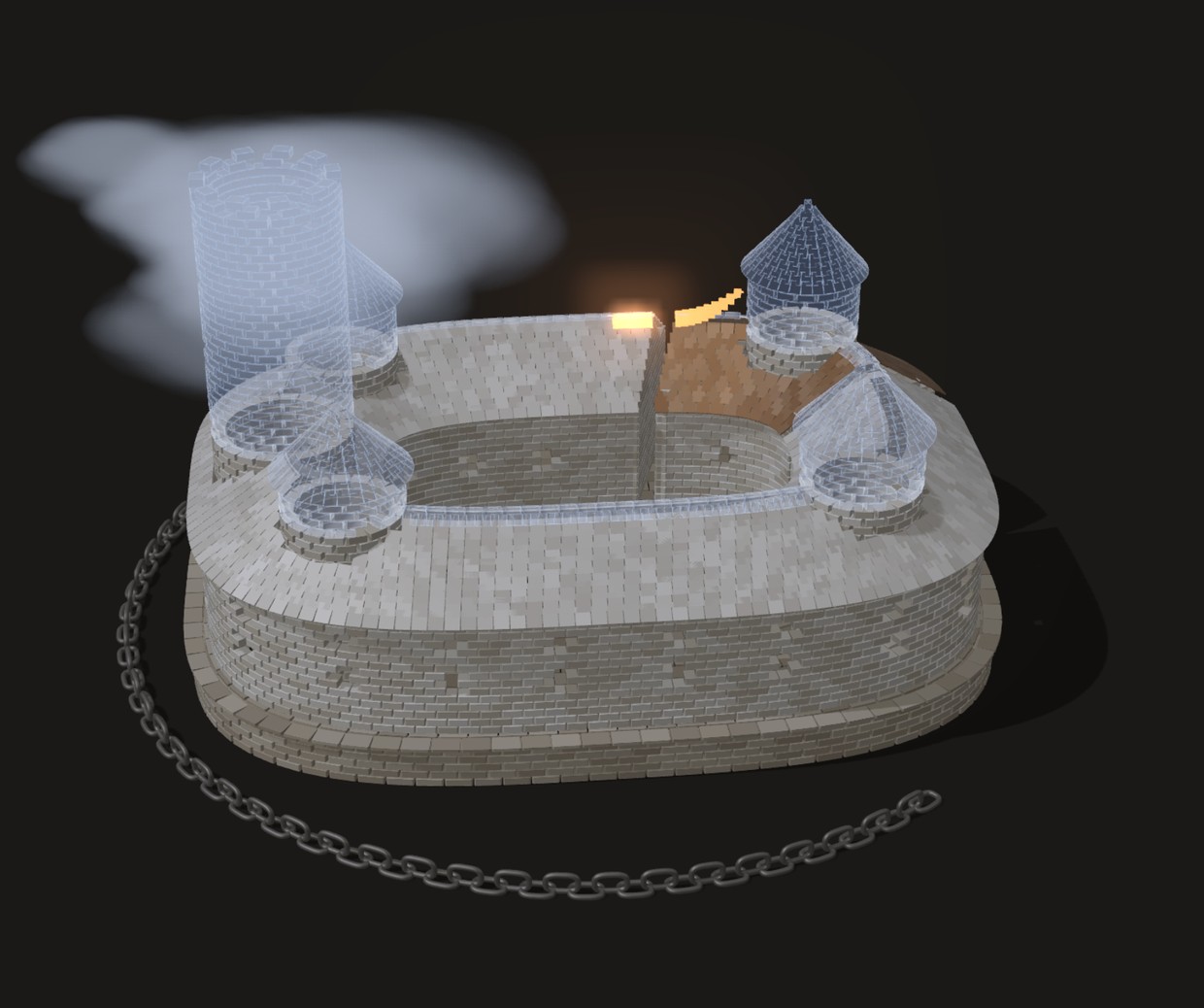
Chain's stone castle rising under its glass blueprint, surrounded by a metal chain
From a castle in the air to a record of your work.
  • Several goals in one project

    A project can hold more than one goal, such as two exams in one course. Each goal builds its own castle from the sessions you work on it.

  • Pick the goal with the project

    A project with two or more goals lists them under its name, most recently worked first. Chain remembers your pick, so starting again is still one tap.

  • Switch goals mid-session

    Change goal from the project chip or a goal's page. Time before the switch stays with the earlier goal, and the castle under the timer turns to the new one.

  • Every project, one row

    Goals lists each project once, with a castle for each of its goals and a place for the next. In the Journal, Counted toward moves a session to another goal.

All changes

Windows 1.3.0

Goals inside your projects.

New

  • Several goals in one project. A project can hold more than one goal, such as two exams in one course. Set another goal on a project that already has one; each goal builds its own castle from the sessions you work on it.
  • Pick the goal with the project. A project with two or more goals lists them under its name, most recently worked first, each with its castle, plus "No goal" and "New goal". Today remembers your pick, so starting again is still one tap.
  • Switch goals mid-session. Change goal from the project chip on Today or from a goal's page ("Count this session from now"). Time before the switch stays with the earlier goal, and the castle under the timer turns to the new goal's.
  • Plan blocks with their own goal. Each block of a session plan can work on its own goal of its project.
  • The receipt names every goal the session built.
  • Every project, one row. Goals lists each project once, with its hours, a castle for each of its goals and a place for the next. A stopped goal can be restored beside the project's current one.
  • Counted toward. In the Journal, a session's "Counted toward" moves it to another current goal of its project, or to none. A project's page there lists all its goals.
  • Older devices are named. Before a project gets a second goal, Chain names your other devices that synced in the last 30 days and still run an older version, and says what they will show until they update. You can set the goal anyway.
Original release notes

Android 0.38.0

Goals inside your projects.

New

  • Several goals in one project. A project can hold more than one goal, such as two exams in one course. Set another goal on a project that already has one; each goal builds its own castle from the sessions you work on it.
  • Pick the goal with the project. A project with two or more goals lists them under its name, most recently worked first, each with its castle, plus "No goal" and "New goal". Today remembers your pick, so starting again is still one tap.
  • Switch goals mid-session. Change goal from the project chip on Today or from a goal's page ("Count this session from now"). Time before the switch stays with the earlier goal, and the castle under the timer turns to the new goal's.
  • Plan blocks with their own goal. Each block of a session plan can work on its own goal of its project.
  • The receipt names every goal the session built.
  • Every project, one row. Goals lists each project once, with its hours, a castle for each of its goals and a place for the next. A stopped goal can be restored beside the project's current one.
  • Counted toward. In the Journal, a session's "Counted toward" moves it to another current goal of its project, or to none. A project's page there lists all its goals.
  • Older devices are named. Before a project gets a second goal, Chain names your other devices that synced in the last 30 days and still run an older version, and says what they will show until they update. You can set the goal anyway.
  • Your goal in the notification. The ongoing focus notification names the goal you're working on.

Fixes

  • The castle on Goals is sized to the castle, so the goal plate and ladder are no longer pushed below the fold.
  • The Guild opens at once: the board you saw last appears immediately and refreshes alongside sync, instead of waiting for start-up and showing the add-a-friend screen in between.
Original release notes

A Guild Hall you read by the week.

The Guild Hall opens on this week, with a castle card for every finished goal and one line per friend. Tap any medal to read what it means.

Chain's stone castle rising under its glass blueprint, surrounded by a metal chain
From a castle in the air to a record of your work.
  • The Hall, week by week

    The Hall opens on this week, with a line counting what your guild did. Earlier weeks fold into one line each; tap one to open it.

  • Finished goals stand out

    Each finished goal gets its own card with the castle it raised, drawn in its project's colours.

  • One line per friend

    Everything else a friend did that week folds into one sentence with their medals beside it. Tap it to see each moment, and ring the anvil once for all of them.

  • Tap to read a medal

    Tap any medal, metal or title in the Hall to read what it is, how it was earned and whether you have it too.

All changes

Windows 1.2.2

A Guild Hall you read by the week.

New

  • The Hall reads in weeks. The Guild Hall opens on this week, with a line counting what your guild did: goals finished, new metals and titles, medals. Earlier weeks fold into one line each; tap one to open it.
  • Finished goals stand out. Each finished goal gets its own card with the castle it raised, drawn in its project's colours.
  • One line per friend. Everything else a friend did that week folds into one sentence with their medals beside it, such as "Mila reached Copper, earned 9 medals and found a secret medal". Tap it to see each moment, and ring the anvil once for all of them.
  • See what a medal means. Tap any medal, metal or title in the Hall to read what it is, how it was earned and whether you have it too.
  • New is marked. What arrived since your last visit, and new rings on your own moments, carry a small "New" mark. Your own ring shows on the anvil button.
  • Your secret medals have names in the Hall. When you find a secret medal, the Hall shows you which one, and friends who found the same secret see it too. Everyone else still sees only that a secret medal was found.

Fixes

  • Castle roofs no longer flicker: overlapping roof tiles on gables, pyramids and cones no longer shimmer as the camera moves or a stone forms.
Original release notes

Android 0.37.2

A Guild Hall you read by the week.

New

  • The Hall reads in weeks. The Guild Hall opens on this week, with a line counting what your guild did: goals finished, new metals and titles, medals. Earlier weeks fold into one line each; tap one to open it.
  • Finished goals stand out. Each finished goal gets its own card with the castle it raised, drawn in its project's colours.
  • One line per friend. Everything else a friend did that week folds into one sentence with their medals beside it, such as "Mila reached Copper, earned 9 medals and found a secret medal". Tap it to see each moment, and ring the anvil once for all of them.
  • See what a medal means. Tap any medal, metal or title in the Hall to read what it is, how it was earned and whether you have it too.
  • New is marked. What arrived since your last visit, and new rings on your own moments, carry a small "New" mark. Your own ring shows on the anvil button.
  • Your secret medals have names in the Hall. When you find a secret medal, the Hall shows you which one, and friends who found the same secret see it too. Everyone else still sees only that a secret medal was found.

Fixes

  • Castle roofs no longer flicker: overlapping roof tiles on gables, pyramids and cones no longer shimmer as the camera moves or a stone forms.
  • Chain no longer fails to sync or start a session on phones whose Android System WebView hasn't been updated.
Original release notes

Plan your session.

Split a session into timed blocks and feel each one close. Chain is lighter on your computer, and evening reminders ease off after a break.

One place to begin. A clearer path through Chain.
One place to begin. A clearer path through Chain. Product imagery
  • Plan a session in blocks

    Under Working on, choose + Plan blocks and split a session into blocks, each with its own length and, if you like, its own project. The total shows which tier the plan reaches.

  • Each block, sealed

    The clock still counts up the whole session. When a block ends, Chain moves on with a short clink and seals its notch, and a notification tells you when Chain is out of sight.

  • Lighter on your computer

    Minimized or in the tray, Chain stops drawing instead of keeping your graphics card busy. It opens straight to the finished app and the Guild opens without a freeze.

  • Reminders ease off

    The evening reminder speaks while your chain is at risk. After a break you get one gentle nudge, one more three days later, then quiet until you focus again.

All changes

Windows 1.2.1

Plan a session in blocks, feel each block close, and a lighter Chain on your computer.

New

  • Plan a session in blocks. Under Working on, choose + Plan blocks and split a session into blocks, such as 30 minutes of vocabulary, then grammar, then a practice exam. Each block gets its own length, and its own project if you like, and the total shows which tier the plan reaches.
  • Each block, sealed. The clock still counts up the whole session. The running block's name sits above the ring, the line under it says how long is left and what comes next, and notches inside the ring mark each block. When a block ends, Chain moves on with a short clink and seals its notch, and a Windows notification tells you when Chain isn't in front. Stay on a block for five more minutes, use +5 min or Next →, or change the rest of the plan from the line under the ring.
  • Your plan again. The last plan you used with a project comes back with one tap. The receipt and your Journal show how each block went. A plan never changes what a session earns.
  • Lighter and smoother. Minimized or in the tray, Chain now stops drawing instead of keeping your graphics card busy; your session, reminders, sync and the tray keep running. Chain opens straight to the finished app, the Guild opens without a freeze, and glows, shimmers and card rings animate at a calmer, steady pace.
  • Reminders ease off after a break. The evening reminder speaks while your chain is at risk. If the chain lapses, you get one gentle nudge the next evening and one more three days later, then no evening reminders until you focus again.

Fixes

  • If Chain closes while you're waiting for your sign-in code, it reopens on the code step instead of signing you out, and a code check that times out no longer leaves you unable to sign in.
  • A finished goal's card now scrolls instead of cutting off "About this record", on your own profile, a friend's and in the completion ceremony.
Original release notes

Android 0.37.1

Plan a session in blocks and feel each block close.

New

  • Plan a session in blocks. Under Working on, tap + Plan blocks and split a session into blocks, such as 30 minutes of vocabulary, then grammar, then a practice exam. Each block gets its own length, and its own project if you like, and the total shows which tier the plan reaches.
  • Each block, sealed. The clock still counts up the whole session. The running block's name sits above the ring, the line under it says how long is left and what comes next, and notches inside the ring mark each block. When a block ends, Chain moves on with a short clink and a tap in your hand, and seals its notch. Stay on a block for five more minutes, use +5 min or Next →, or change the rest of the plan from the line under the ring.
  • A nudge when a block ends. With Chain in the background or the screen locked, a notification tells you when a block ends and what comes next. Turn it off under Settings → Notifications → Plan blocks.
  • Your plan again. The last plan you used with a project comes back with one tap. The receipt and your Journal show how each block went. A plan never changes what a session earns.
  • Glows, shimmers and card rings animate at a calmer, steady pace.
  • Reminders ease off after a break. The evening reminder speaks while your chain is at risk. If the chain lapses, you get one gentle nudge the next evening and one more three days later, then no evening reminders until you focus again.

Fixes

  • If Android closes Chain while you're waiting for your sign-in code, it reopens on the code step instead of signing you out, and a code check that times out no longer leaves you unable to sign in.
  • Opening Chain in the evening no longer sends a "20 minutes holds it" notification before a session from your other device has synced, and a planned-start reminder stays quiet when the day is already held on another device.
  • A finished goal's card now scrolls instead of cutting off "About this record", on your own profile, a friend's and in the completion ceremony.
Original release notes

Wear the rung you like best.

Pick any rung you own for each ring, watch a session lay its stones on your castle, and get one reminder on day two. Plus focus-app and sound fixes.

Chain's stone castle rising under its glass blueprint, surrounded by a metal chain
From a castle in the air to a record of your work.
  • Wear an earlier rung

    An upgraded ring's "Wear as" choice lets you wear any rung you own. Your upgrades stay owned and the choice follows your account.

  • Your stones on the receipt

    When a session counts toward a goal, the receipt lays the stones it built on that goal's castle.

  • A day-2 reminder

    The day after your first session, one reminder around the time you started it, with a one-tap Turn off.

  • Your focus app counts

    On Android, time in your session's focus app is kept when you come back, and leaving it pauses the session right away.

All changes

Windows 1.1.7

Wear any rung you own, see the stones a session laid on your castle, and a reminder to come back on day two.

New

  • Wear an earlier rung. An upgraded ring's detail has a "Wear as" choice. Pick any rung you own, such as the plain Segment under your Masterwork, and your timer, Wardrobe card and Wearing now tile show it. Your upgrades stay owned, the choice follows your account to your other devices, and buying a new upgrade wears it straight away.
  • Your stones on the receipt. When a session counts toward a goal, the receipt shows a small view of that goal's castle. Once the receipt has finished, the session's stones are laid and stay faintly warm, and the line under the goal says how many you laid and names the biggest part you finished, such as "Stair turret raised."
  • A day-2 reminder. The day after your first session, Chain sends one reminder around the time you started it. The first receipt says when it will come and has a one-tap Turn off; it is also under Settings as "Day-2 reminder". Quiet mode silences it, and it stays quiet once you have focused that day or planned a start for it.
  • Short sessions that unlock something get the full receipt. A session under 20 minutes that reaches a new level, earns a medal, crosses an hour rank or raises your case seal now shows it properly. Short sessions that unlock nothing keep the quick receipt.
  • Your row on the Guild board is marked with a lit bearing beside it and a ring around any calling card you wear.

Fixes

  • Clicking the chain quickly no longer distorts or silences the sound, and the app stays smooth while you do it.
  • A break left open past its limit no longer lets focus time start climbing again, and the Guild board no longer shows a sleeping device's session as "Break" all night.
  • Sessions past midnight read as times with a small +1 mark in the Journal instead of running into the project name.
Original release notes

Android 0.36.10

Wear any rung you own, see the stones a session laid on your castle, and your focus app now counts the way it should.

New

  • Wear an earlier rung. An upgraded ring's detail has a "Wear as" choice. Pick any rung you own, such as the plain Segment under your Masterwork, and your timer, Wardrobe card and Wearing now tile show it. Your upgrades stay owned, the choice follows your account to your other devices, and buying a new upgrade wears it straight away.
  • Your stones on the receipt. When a session counts toward a goal, the receipt shows a small view of that goal's castle. Once the receipt has finished, the session's stones are laid and stay faintly warm, and the line under the goal says how many you laid and names the biggest part you finished, such as "Stair turret raised."
  • A day-2 reminder. The day after your first session, Chain sends one reminder around the time you started it. The first receipt says when it will come and has a one-tap Turn off; it is also under Settings as "Day-2 reminder". Quiet mode silences it, and it stays quiet once you have focused that day or planned a start for it.
  • Short sessions that unlock something get the full receipt. A session under 20 minutes that reaches a new level, earns a medal, crosses an hour rank or raises your case seal now shows it properly. Short sessions that unlock nothing keep the quick receipt.
  • Your row on the Guild board is marked with a lit bearing beside it and a ring around any calling card you wear.

Fixes

  • Time in your focus app counts. Time spent in your session's focus app is kept when you come back to Chain, including when you open it with Open from the live session and for apps like Gemini that open inside another app.
  • Leaving your focus app pauses right away. Going from your focus app (or Chain) to another app now pauses the session within a few seconds, and the notification shows it straight away. Time in the focus app before you left is kept.
  • Chain now opens on phones with an older Android System WebView instead of failing at start.
  • Tapping the chain quickly no longer distorts or silences the sound, and the app stays smooth while you do it.
  • A break left open past its limit no longer lets focus time start climbing again, and the Guild board no longer shows a sleeping device's session as "Break" all night.
  • Sessions past midnight read as times with a small +1 mark in the Journal instead of running into the project name.
  • A resting showcase medal on your profile shows its face, and item details no longer cover the start of a piece's name.
  • The in-app updater's install step is better protected.
Original release notes

Every ring grows with you.

Chain is easier to start with and says things in plainer words. Every ring climbs to a Masterwork, every grain you collect counts, and your finished castles share one sky.

Twenty interlocked metal links forming a chain
Your days, forged in the metal of their era. Product imagery
  • Five rings that grow

    Each ring climbs four rungs to a Masterwork whose world fills the focus screen. Open a ring to preview and buy its next upgrade.

  • Every grain counts

    Copper, iron, steel and damascus all add to one amount of metal, so everything you collect is worth spending.

  • A clearer home for everything

    Goals holds your projects, your profile shows every finished castle in one sky, and the Journal is one page of days, weeks and bests.

  • The Guild Hall

    A log of what you and your friends finish, with an anvil to ring for each other.

All changes

Windows 1.1.4

Chain is easier to start with, says things in plainer words, every ring now grows with you, and every grain you collect counts.

Clearer focus

  • Clearer words while you focus. The timer counts down to today's link, and Target, Beast and Legendary show their length beside the name ("Beast · 2h+"). The first time you reach each one, the receipt says what it means. A 20-minute session reads "Focus banked", and the chain bonus reads "+10% XP".
  • Calmer receipts. A bank leads with your chain and level. Strikes, the weekly total, medal points and your ring aim are one tap away under Session details.
  • Today asks "Working on" once. A note for the session is behind "Add a note".
  • New to Chain? It opens up as you go. The Wardrobe, projects, medals, the Vein, day heat and the long-game collections arrive one at a time over the first weeks, each with one short note on Today. Already well along? You see everything, as before. Settings → Appearance & sound → Show everything now opens it all.

Five rings that grow

  • Every ring is a ladder. Segment, Movement (level 2), Firmament (level 10), Quench (level 14) and Caldera (level 26) each climb four rungs, from the ring you unlock to a Masterwork. Rings react as you focus: finished minutes, new tiers, heat and breathers each change them.
  • Masterworks. A worn Masterwork's world fills the focus screen. Movement's, Firmament's, Quench's and Caldera's also ask for a medal feat (Metronome, The Hundred, The Long Watch and Full Burn).
  • Every grain counts. Copper, iron, steel and damascus now all add to one amount of metal: copper 1, iron 3, steel 6 and damascus 12. Upgrades cost metal, and a Masterwork also asks for meteoric. Segment's upgrades cost what they did; the other four Masterworks cost 3,200 metal and 18 meteoric. Copper and iron you have been collecting are now worth spending, and the Vein totals the metal each reveal adds.
  • Upgrades on the ring. Open a ring to preview its next rung, see the metal it needs and upgrade it; the separate Crucible screen is gone. In the Wardrobe each ring is a card showing your rung, its climb and what's next.
  • One ring per ladder. A ring's rungs are now its upgrades, so the rings that only recoloured another ring, the colour and medal finishes, and Gilding, Orbit, Waypoint, Sextant, Orrery, Bolide and Borealis have left the wardrobe. If you wore one, you now wear the ladder's ring. Medals you earned keep their place in your collection. Segment's upgrades are now Enamelled, Gem-set and Eternity. Grains you collected and upgrades you bought are kept.

A clearer home for everything

  • Goals holds your projects. Each project keeps its own hours; give one a finish line and it starts a castle. Rename, recolour, archive and restore projects from their card. New castles settle onto their island at the first stone.
  • The Forge is now Rewards, with Your chain and Wardrobe. Your chain says what your next level unlocks and roughly how much focus it takes, and each upcoming piece says what it is. The page has a calmer, more finished layout throughout.
  • Medals live on your profile. The Medals tab holds your whole collection, and new medals are marked on your name until you visit it. Every medal you earned is still yours.
  • Your castles share one sky. Your profile's Goals tab opens on a sky holding every castle you have finished, in the order you finished them, with the goals you are building at its edge. Tap a castle to see that goal's story: the castle it became, the day it was raised, what you set out to do, and its focus, days worked, best run and days from start to finish.
  • A new Journal. One page instead of three tabs: your week beside last week, recent highlights, every day drawn as the hours you worked, your year and your bests. Tap a day for its sessions or a project for its work. A session shows its note or project, focus time, any break and what it earned. Deleting a session is one button, with Undo.

The Guild

  • The Guild Hall. Under the board, a log of what you and your friends finish, newest first: delivered goals, medals, new metals and new hour titles. A secret medal shows only that one was found. Ring the anvil on a friend's entry to cheer it; your own entries show who rang them, and a dot on the Guild tab marks anything new. Remove any of your own entries for everyone; turning off Guild sharing or making a goal private hides the matching entries.

The chain

  • Flick the chain where you touch it. The link you strike takes the hit, a wave runs into the heart and the heart flares. Press a link and drag to pull the chain, then let go to snap it back. The resting chain drifts and settles instead of rocking.
  • Constellation, Dichroic and Aegis Thread have been rebuilt as lit, living metal, with no looping motion and a clean glow on the light theme.
  • Locked celebrations and sounds stay a surprise. In the Wardrobe only pieces and stages you have earned play; a locked one shows what unlocks it.

Fixes and polish

  • Screens open faster, most of all with a long history, the first visit to a screen no longer flashes "Opening …", and Chain does far less work in the background while a screen sits open.
  • Taking a session over from your other device settles within seconds on both, your Guild row no longer shows a session you banked or handed over, and a session started or banked on a slow connection reaches your other device and friends promptly.
  • Skipping the bank celebration now shows the session's real XP, level and chain instead of +0 XP.
  • Click or tap outside to close item details, medal inspections, profile readouts, the Annals and release-note pop-ups.
  • Medal totals match the Guild, including legacy medals, which are now recognised with an explanation.
  • Profile readouts are solid and readable, and a calling card keeps your name legible.
  • A held grain in a very large bank now lands in your totals.
  • Rapidly clicking or tapping the chain no longer stacks its sound until it crackles or drops out.
  • Celebration previews leave out the Legendary crown, and Hoarfrost previews are smoother.
  • The Reading Room stays painted while the focus window resizes.
  • Updates always offer "Update & restart", and a feature release opens its highlights after the restart.
  • Join the Chain community on Discord from the link beside Feedback.
Original release notes

Android 0.36.4

Chain is easier to start with, says things in plainer words, every ring now grows with you, and every grain you collect counts.

Clearer focus

  • Clearer words while you focus. The timer counts down to today's link, and Target, Beast and Legendary show their length beside the name ("Beast · 2h+"). The first time you reach each one, the receipt says what it means. A 20-minute session reads "Focus banked", and the chain bonus reads "+10% XP".
  • Calmer receipts. A bank leads with your chain and level. Strikes, the weekly total, medal points and your ring aim are one tap away under Session details.
  • Today asks "Working on" once. A note for the session is behind "Add a note".
  • New to Chain? It opens up as you go. The Wardrobe, projects, medals, the Vein, day heat and the long-game collections arrive one at a time over the first weeks, each with one short note on Today. Already well along? You see everything, as before. Settings → Appearance & sound → Show everything now opens it all.

Five rings that grow

  • Every ring is a ladder. Segment, Movement (level 2), Firmament (level 10), Quench (level 14) and Caldera (level 26) each climb four rungs, from the ring you unlock to a Masterwork. Rings react as you focus: finished minutes, new tiers, heat and breathers each change them.
  • Masterworks. A worn Masterwork's world fills the focus screen. Movement's, Firmament's, Quench's and Caldera's also ask for a medal feat (Metronome, The Hundred, The Long Watch and Full Burn).
  • Every grain counts. Copper, iron, steel and damascus now all add to one amount of metal: copper 1, iron 3, steel 6 and damascus 12. Upgrades cost metal, and a Masterwork also asks for meteoric. Segment's upgrades cost what they did; the other four Masterworks cost 3,200 metal and 18 meteoric. Copper and iron you have been collecting are now worth spending, and the Vein totals the metal each reveal adds.
  • Upgrades on the ring. Open a ring to preview its next rung, see the metal it needs and upgrade it; the separate Crucible screen is gone. In the Wardrobe each ring is a card showing your rung, its climb and what's next.
  • One ring per ladder. A ring's rungs are now its upgrades, so the rings that only recoloured another ring, the colour and medal finishes, and Gilding, Orbit, Waypoint, Sextant, Orrery, Bolide and Borealis have left the wardrobe. If you wore one, you now wear the ladder's ring. Medals you earned keep their place in your collection. Segment's upgrades are now Enamelled, Gem-set and Eternity. Grains you collected and upgrades you bought are kept.

A clearer home for everything

  • Goals holds your projects. Each project keeps its own hours; give one a finish line and it starts a castle. Rename, recolour, archive and restore projects from their card, now on Android too. New castles settle onto their island at the first stone.
  • The Forge is now Rewards, with Your chain and Wardrobe. Your chain says what your next level unlocks and roughly how much focus it takes, and each upcoming piece says what it is.
  • Medals live on your profile. The Medals tab holds your whole collection, and new medals are marked on your name until you visit it. Every medal you earned is still yours.
  • Your castles share one sky. Your profile's Goals tab opens on a sky holding every castle you have finished, in the order you finished them, with the goals you are building at its edge. Tap a castle to see that goal's story: the castle it became, the day it was raised, what you set out to do, and its focus, days worked, best run and days from start to finish.
  • A new Journal. One page instead of three tabs: your week beside last week, recent highlights, every day drawn as the hours you worked, your year and your bests. Tap a day for its sessions or a project for its work. A session shows its note or project, focus time, any break and what it earned.

The Guild

  • The Guild Hall. Under the board, a log of what you and your friends finish, newest first: delivered goals, medals, new metals and new hour titles. A secret medal shows only that one was found. Ring the anvil on a friend's entry to cheer it; your own entries show who rang them, and a dot on the Guild tab marks anything new. Remove any of your own entries for everyone; turning off Guild sharing or making a goal private hides the matching entries.

The chain

  • Flick the chain where you touch it. The link you strike takes the hit, a wave runs into the heart and the heart flares. A flick ticks under your thumb as the wave runs. The resting chain drifts and settles instead of rocking.
  • Constellation, Dichroic and Aegis Thread have been rebuilt as lit, living metal, with no looping motion and a clean glow on the light theme.
  • Locked celebrations and sounds stay a surprise. In the Wardrobe only pieces and stages you have earned play; a locked one shows what unlocks it.

Fixes and polish

  • Screens open faster, most of all with a long history, the first visit to a screen no longer flashes "Opening …", and Chain does far less work in the background while a screen sits open.
  • Taking a session over from your other device settles within seconds on both, your Guild row no longer shows a session you banked or handed over, and a session started or banked on a slow connection reaches your other device and friends promptly.
  • Skipping the bank celebration now shows the session's real XP, level and chain instead of +0 XP.
  • Click or tap outside to close item details, medal inspections, profile readouts, the Annals and release-note pop-ups.
  • Medal totals match the Guild, including legacy medals, which are now recognised with an explanation.
  • Profile readouts are solid and readable, and a calling card keeps your name legible.
  • A held grain in a very large bank now lands in your totals.
  • Rapidly clicking or tapping the chain no longer stacks its sound until it crackles or drops out.
  • Celebration previews leave out the Legendary crown, and Hoarfrost previews are smoother.
  • The Reading Room keeps its scene when the display size or density changes.
  • The Undo notice after deleting a session sits above the tabs instead of covering the focus controls.
  • Guild rows stay compact when a goal's title is long; the profile shows the full title.
  • Join the Chain community on Discord from Settings → About & help.
Original release notes

Your hours, made into something.

Build castles with your focused work, find a place to settle in, and keep a record of the hours that got you here.

Chain's stone castle rising under its glass blueprint, surrounded by a metal chain
From a castle in the air to a record of your work.
  • Build your castles

    Goals grow from a watchtower to a crowned castle. Count earlier project hours and show your castles on your profile.

  • Find your place

    Settle into the Reading Room, with moving rain and adjustable room sound. Preview it before you choose.

  • Keep something of the hours

    Engraved lifetime milestones and anniversary Annals turn your work into a record you can revisit.

  • Make progress your own

    Choose a reward as your Aim, browse painted Wardrobe shelves, and explore a richer illustrated medal case.

All changes

Windows 1.0.8

Your focused work now builds castles, opens a richer collection and becomes a record you can revisit.

Goals and records

  • Your work builds a castle. Goals rise from a watchtower to a crowned castle as you save focus. Include earlier project hours, manage work in progress together, and show your castles on profiles.
  • Keep a record of the hours. Lifetime milestones receive engraved plates; each anniversary adds an Annals volume.

Make it yours

  • Living Places. Wear the Reading Room behind your timer, with moving rain and room sound you can adjust or mute. Preview the room before choosing.
  • Choose your Aim. Pick a reward to work toward, follow it on each bank receipt, and wear newly earned pieces from the receipt.
  • A clearer Wardrobe. Grouped ring families and painted shelves make pieces easier to find. Forgefire, Skyfire and Hoarfrost celebrations grow through stages; Neon rebuilds the Analog sound pack while retaining ownership.

Clearer progress and everyday use

  • A richer medal case. New medals, individual illustrations, earning stories and mastery seals celebrate your work. The Re-Assay recognizes qualifying past work while preserving earned medals and mastery.
  • A calmer start. Quieter onboarding, earlier rewards and consistent copper controls make the first sessions clearer, with broader Reduce motion support and a lighter startup.
  • Guild across devices. See your focus running on another device, including breaks. Connect from a friend's invitation link; sharing choices still control work details.

Windows and reliability

  • Go full screen or use a floating timer. Revisit kept thoughts on Today, and save or copy Annals pages.
  • More dependable offline focus, sign-in recovery and sync across account changes. Backup restore opens the native picker again, with clearer save and retry outcomes. Direct-install updates confirm the active session and refuse to restart after an unsuccessful save.
  • The matching Microsoft Store update brings a much smaller download and Windows 10 support (version 2004 or later, build 19041+). Availability follows Microsoft certification.

Interface tints, Coronal and Ten Lights are retired. Earned medals, history and mastery remain; affected equipped choices return safely to defaults.

Original release notes

Android 0.35.8

Your focused work now builds castles, opens a richer collection and becomes a record you can revisit.

Goals and records

  • Your work builds a castle. Goals rise from a watchtower to a crowned castle as you save focus. Include earlier project hours, manage work in progress together, and show your castles on profiles.
  • Keep a record of the hours. Lifetime milestones receive engraved plates; each anniversary adds an Annals volume.

Make it yours

  • Living Places. Wear the Reading Room behind your timer, with moving rain and room sound you can adjust or mute. Preview the room before choosing.
  • Choose your Aim. Pick a reward to work toward, follow it on each bank receipt, and wear newly earned pieces from the receipt.
  • A clearer Wardrobe. Grouped ring families and painted shelves make pieces easier to find. Forgefire, Skyfire and Hoarfrost celebrations grow through stages; Neon rebuilds the Analog sound pack while retaining ownership.

Clearer progress and everyday use

  • A richer medal case. New medals, individual illustrations, earning stories and mastery seals celebrate your work. The Re-Assay recognizes qualifying past work while preserving earned medals and mastery.
  • A calmer start. Quieter onboarding, earlier rewards and consistent copper controls make the first sessions clearer, with broader Reduce motion support and a lighter startup.
  • Guild across devices. See your focus running on another device, including breaks. Connect from a friend's invitation link; sharing choices still control work details.

Android and reliability

  • Focus in a chosen app while keeping the session running. Android 16 can show the timer in the status bar.
  • More dependable offline focus, sign-in recovery and sync across account changes. The focus day refreshes at the local reset and when you return. Manual update checks show current, timeout and failure results with retry.

Interface tints, Coronal and Ten Lights are retired. Earned medals, history and mastery remain; affected equipped choices return safely to defaults.

Original release notes
September 20267 feature updates

A profile that feels like you.

Your bio, goals, medals and earned title come together. The Guild gets clearer live activity and sharing choices that follow you across devices.

Your level, your title, your chain. All earned.
Your level, your title, your chain. All earned. Product imagery
  • Tell your story

    Add a bio, feature your goals, pin medals, compare collections and wear your earned prestige title.

  • See the Guild at work

    Live focus indicators and animated XP identity plates make activity easier to read.

  • Choose what you share

    Guild privacy controls sync across devices. Existing sharing was reset once to Guild friends; change it anytime.

All changes

Windows 0.45.0

  • Customizable profiles with bios, goals, pinned medals, medal comparisons and prestige titles.
  • Clearer Guild activity, live focus indicators and animated XP identity plates.
  • Synced Guild privacy controls. Existing account, project and goal sharing was reset once to Guild friends; change it anytime.
  • Press Enter twice from your intention to start focus; new Feedback shortcut.
Original release notes

Android 0.34.0

  • Customizable profiles with bios, goals, pinned medals, medal comparisons and prestige titles.
  • Clearer Guild activity, live focus indicators and animated XP identity plates.
  • Synced Guild privacy controls. Existing account, project and goal sharing was reset once to Guild friends; change it anytime.
  • Focus-exit warnings and a 10-minute return countdown, with automatic banking even if Android closes the app.
  • Improved profile setup, first-session start and medal sharing; new Feedback shortcut.
Original release notes

From intention to a lasting record.

Independent goals, sessions that move between devices, and a new banking ceremony make each stretch of focus feel complete.

A moment to see what your focus became.
A moment to see what your focus became. Product imagery
  • Give each project a goal

    Set independent goals, edit what done means, and feature up to three completed records.

  • Take your session with you

    Continue between Windows and Android with your timer, intention, projects and breaks intact.

  • Watch the work land

    A new bank ceremony shows XP, levels and era transitions, with Skip, Replay and a complete reduced-motion receipt.

All changes

Windows 0.43.2

  • Set independent goals for each project or for unassigned focus, edit their wording, and complete them into lasting records.
  • Choose and reorder up to three completed goals to feature, or leave your case empty. Goals and featured selections sync across Windows and Android.
  • Continue a focus session between Windows and Android while preserving its timer, intention, project allocations and breaks. Connected starts prevent overlapping sessions; interrupted banking retains its original stop time.
  • Start focus with a responsive transition, a compact project selector, a clearly labeled intention and the active project's goal.
  • Keep Return to focus in the main session bar and simplify navigation through details.
  • Carry daily forge heat across sessions, see clearer warm-up progress, and view bonus XP in the banking receipt. Daily forge bonus XP begins on 13 September 2026 at 00:00 UTC; existing XP is preserved.
  • Enjoy a new banking ceremony with visible XP gains, level and era transitions, milestone celebrations, Skip, Replay and a complete reduced-motion receipt.
  • Open saved-up Vein rewards faster, with coordinated animation, sound and a counted finish.
  • Choose Stable or opt-in Preview updates in Settings, with clear descriptions and controls that follow light and dark mode.
  • Include the current session's net focus in Today's furnace and label it as unbanked.
  • Improve the Windows project picker, keyboard navigation and Today scrolling.
Original release notes

Android 0.32.2

  • Set independent goals for each project or for unassigned focus, edit their wording, and complete them into lasting records.
  • Choose and reorder up to three completed goals to feature, or leave your case empty. Goals and featured selections sync across Windows and Android.
  • Continue a focus session between Windows and Android while preserving its timer, intention, project allocations and breaks. Connected starts prevent overlapping sessions; interrupted banking retains its original stop time.
  • Start focus with a responsive transition, a compact project selector, a clearly labeled intention and the active project's goal.
  • Keep Return to focus in the main session bar and simplify navigation through details.
  • Carry daily forge heat across sessions, see clearer warm-up progress, and view bonus XP in the banking receipt. Daily forge bonus XP begins on 13 September 2026 at 00:00 UTC; existing XP is preserved.
  • Enjoy a new banking ceremony with visible XP gains, level and era transitions, milestone celebrations, Skip, Replay and a complete reduced-motion receipt.
  • Open saved-up Vein rewards faster, with coordinated animation, sound and a counted finish.
  • Choose Stable or opt-in Preview updates in Settings, with clear descriptions and controls that follow light and dark mode.
  • Open Guild on weekly focus standings and make the chain-flick sound easier to hear.
  • Restore the welcome logo's neutral body and copper accent in both themes.
Original release notes

A clearer Chain, from the ground up.

A new daily focus experience, clearer navigation, and refreshed Goals, Journal, Forge and Settings. Your history comes with you.

One place to begin. A clearer path through Chain.
One place to begin. A clearer path through Chain. Product imagery
All changes

Windows 0.41.0

  • Redesigned navigation and daily focus experience.
  • Refreshed Goals, Journal, Forge, and Settings with clearer layouts.
  • Improved light and dark themes and preserved your existing history and progress.
Original release notes

Android 0.30.0

  • Redesigned navigation and daily focus experience.
  • Refreshed Goals, Journal, Forge, and Settings with clearer layouts.
  • Improved light and dark themes and preserved your existing history and progress.
  • More room for your chain on Today, with improved layouts for long intentions.
  • A new update dialog with release notes and download progress.
Original release notes

Every minute has a place.

Session Pour: see how your focus time is split between projects.

All changes

Windows 0.39.0

  • Session Pour: see how your focus time is split between projects.
  • First Strike: a new visual and audio experience when starting a focus session.
  • Restore backups more reliably, including sessions and projects saved by this device.
  • Improved interrupted-session recovery and account-switch protection.
  • Keep earned mastery consistent across your profile and Guild, and access feedback directly from the app.
Original release notes

Android 0.28.0

  • Session Pour: see how your focus time is split between projects.
  • First Strike: a new visual and audio experience when starting a focus session.
  • Restore backups more reliably, including sessions and projects saved by this device.
  • Improved interrupted-session recovery and account-switch protection.
  • Fixed break-deadline handling when Android has closed the app, with more reliable notification return behavior.
  • Keep earned mastery consistent across your profile and Guild, and access feedback directly from the app.
Original release notes

Work on what you set out to do.

Start a session straight from your commission. "Strike on <project>" opens it on the right project, and the chamber now tells you whether what is running counts toward it.

All changes

Windows 0.38.0

  • Start a session straight from your commission. "Strike on <project>" opens it on the right project, and the chamber now tells you whether what is running counts toward it.
  • Your profile no longer claims you are working on your commission while you are working on something else.
  • Your seal reaches the guild board and your profile the moment you earn a medal, instead of waiting for your next session. The mastery percentage moves again too, rather than sitting at 0%.
  • An update never banks a running session without asking first, and a failed download no longer costs you the session.
  • The chain: the pale oval behind the whorl is gone, and the newest link no longer doubles up with the one before it.
Original release notes

Android 0.27.0

  • Start a session straight from your commission. "Strike on <project>" opens it on the right project, and the chamber now tells you whether what is running counts toward it.
  • Your profile no longer claims you are working on your commission while you are working on something else.
  • Your seal reaches the guild board and your profile the moment you earn a medal, instead of waiting for your next session. The mastery percentage moves again too, rather than sitting at 0%.
  • The chain: the pale oval behind the whorl is gone, and the newest link no longer doubles up with the one before it.
Original release notes

Give your focus a purpose.

The Commission — name the one thing you are trying to finish, write in your own words what done means, and from then on your hours pile visibly onto it. Deliver it and it is minted as a permanent Work: what you set out to do, and exactly what it cost. One at a time. It pays nothing and punishes nothing — Chain never asks you to set one.

All changes

Windows 0.37.0

The Commission — name the one thing you are trying to finish, write in your own words what done means, and from then on your hours pile visibly onto it. Deliver it and it is minted as a permanent Work: what you set out to do, and exactly what it cost. One at a time. It pays nothing and punishes nothing — Chain never asks you to set one. Chain's first profile — click a name on the board to see their era, their standing commission, their Works and their chain. Today is a launcher again — era, level, forged mass and records moved behind one quiet line that unfolds, and the medal teaser, the schedule nudge and the friend whisper moved into the ambient well.

Original release notes

Android 0.26.0

The Commission — name the one thing you are trying to finish, write in your own words what done means, and from then on your hours pile visibly onto it. Deliver it and it is minted as a permanent Work: what you set out to do, and exactly what it cost. One at a time. It pays nothing and punishes nothing — Chain never asks you to set one. Chain's first profile — open a friend from the board to see their era, their standing commission, their Works and their chain. Today is a launcher again — era, level, forged mass and records moved behind one quiet line that unfolds. Your guild presence is finally yours to switch off from the phone, and it now rides a private channel.

Original release notes
August 20261 feature update

A little more depth.

The Setting leaves the plane: mithril now sets a stone at the crown with 1/2/3 tilted orbits threaded through the ring. Fixes: the whorl no longer stamps two links on one spot; the Crucible chamber sits clear of the clock.

All changes

Windows 0.36.0

The Setting leaves the plane: mithril now sets a stone at the crown with 1/2/3 tilted orbits threaded through the ring. Fixes: the whorl no longer stamps two links on one spot; the Crucible chamber sits clear of the clock.

Original release notes

Android 0.25.0

The Setting leaves the plane: mithril now sets a stone at the crown with 1/2/3 tilted orbits threaded through the ring. Fixes: the whorl no longer stamps two links on one spot; the Crucible chamber sits clear of the clock and no longer eats taps on the exit.

Original release notes
July 202650 feature updates

Save your strikes. Take your time.

The Vein now waits for you: a banked session ends on its receipt, and the strikes it earned pool at the Vein's own chamber - save them up across sits and swing whenever you like

All changes

Windows 0.35.0

  • The Vein now waits for you: a banked session ends on its receipt, and the strikes it earned pool at the Vein's own chamber - save them up across sits and swing whenever you like
  • A molten pill on Today shows how many strikes are banked; the wardrobe keeps a door to the Vein even at zero (it explains how strikes are earned)
  • The strike ceremony's status line no longer overlaps the swing button
Original release notes

Android 0.24.0

  • The Vein now waits for you: a banked session ends on its receipt, and the strikes it earned pool at the Vein's own chamber - save them up across sits and swing whenever you like
  • A molten pill on the home screen shows how many strikes are banked; Spoils keeps a door to the Vein even at zero (it explains how strikes are earned)
  • The strike ceremony's status line no longer overlaps the swing button
Original release notes

A better moment at the anvil.

The Crucible now names the ring on the anvil - and offers a one-tap swap when you walk in wearing a different face.

All changes

Windows 0.34.0

  • The Crucible now names the ring on the anvil - and offers a one-tap swap when you walk in wearing a different face.
  • Every pour lands as a real strike: anvil voice, gold sparks, a quake through the chamber. The wardrobe marks the pourable ring, molten when the next stage is affordable.
  • The updater says when it is installing (Chain closes and reopens itself - that is the installer, not a crash) and speaks up if an install silently failed.
  • Removed the one-time career assay reveal.
Original release notes

Android 0.23.0

  • The Crucible now names the ring on the anvil - and offers a one-tap swap when you walk in wearing a different face.
  • Every pour lands as a real strike: anvil voice, gold sparks, haptics, a quake through the chamber. The wardrobe marks the pourable ring.
  • Removed the one-time career assay reveal - it also fixes the strike panel getting cut off at the right edge.
Original release notes

A look back at all that work.

The Career Assay: existing smiths meet their whole banked history revealed as one ceremony — every 20-minute block you ever forged was a strike on the vein; the rock kept the count, and now it pours. Once per device, band by band, rarest last.

All changes

Windows 0.33.0

  • The Career Assay: existing smiths meet their whole banked history revealed as one ceremony — every 20-minute block you ever forged was a strike on the vein; the rock kept the count, and now it pours. Once per device, band by band, rarest last.
  • Fixed: the Crucible's Gilding preview now renders under a living face (the anvil wears the recipient).
Original release notes

Android 0.22.0

  • The Career Assay: your whole banked history revealed as one ceremony — every 20-minute block you ever forged was a strike on the vein; the rock kept the count, and now it pours. Once per device, band by band, rarest last.
  • Fixed: the Crucible's Gilding preview now renders under a living face.
Original release notes

Meet the Vein and the Crucible.

The Vein: strike grains from every sit - six metals, locked odds. Pour them in the new Crucible chamber: the Gilding ladder, the mithril Setting, the ring transformed while you watch.

The Chased refinement on Chain's timer ring
A familiar ring, refined by the work you put in. Product imagery
All changes

Windows 0.32.0

The Vein: strike grains from every sit - six metals, locked odds. Pour them in the new Crucible chamber: the Gilding ladder, the mithril Setting, the ring transformed while you watch.

Original release notes

Android 0.21.0

The Vein: strike grains from every sit - six metals, locked odds. Pour them in the new Crucible chamber: the Gilding ladder, the mithril Setting, the ring transformed while you watch.

Original release notes

Let friends see your forge.

Discord Rich Presence: your live forge now shows on your Discord profile while you work, with a Get Chain button your friends can click. Also new: per-project colors, shareable forge cards, and two guild medals (Shared Spark and Forgebond).

All changes

Windows 0.31.2

Discord Rich Presence: your live forge now shows on your Discord profile while you work, with a Get Chain button your friends can click. Also new: per-project colors, shareable forge cards, and two guild medals (Shared Spark and Forgebond).

Original release notes

The long watch.

The Long Watch: the temper multiplier is visible on every bank, the level ladder is filled in from 25 to 100 and keeps going past it, and the focus face goes quiet while you work.

All changes

Windows 0.31.0

The Long Watch: the temper multiplier is visible on every bank, the level ladder is filled in from 25 to 100 and keeps going past it, and the focus face goes quiet while you work.

Original release notes

Android 0.20.0

The Long Watch: the temper multiplier is visible on every bank, the level ladder is filled in from 25 to 100 and keeps going past it, the live face goes quiet while you work, and the pocket opens on Today with real foil on the board.

Original release notes

The day is a furnace.

The day is a furnace.

All changes

Windows 0.30.0

The day is a furnace.

Your day now has a heat grade of its own, stacked from every session you sit: Warm (1h), Glowing (2h30), Forgehot (4h), Whitehot (6h). It shows as a live line on Today and the timer, a lit edge on every guild card, and it re-inks the whole heatmap — one accent hue, brightness stepped by how hot the day ran.

  • Three new medals: Full Furnace, Ever Burning, Sunforger.
  • The chain multiplier no longer flatlines at day 100 — it keeps climbing, asymptotically, toward x2.
  • Crossing a furnace mark mid-session now gets its own beat.
Original release notes

Android 0.19.0

The day is a furnace.

Your day now has a heat grade of its own, stacked from every session you sit: Warm (1h), Glowing (2h30), Forgehot (4h), Whitehot (6h). It shows as a live line above the ring, a lit edge on every guild card, and it re-inks your whole heatmap — one accent hue, brightness stepped by how hot the day ran.

  • Three new medals: Full Furnace, Ever Burning, Sunforger.
  • The chain multiplier no longer flatlines at day 100 — it keeps climbing, asymptotically, toward x2.
  • Crossing a furnace mark mid-session now gets its own beat, with haptics.
Original release notes

One session. Every project counted.

The Alloy: switch projects mid-session and the bank now splits the minutes truthfully - the receipt shows an alloy chip with where the time really went

All changes

Windows 0.29.0

  • The Alloy: switch projects mid-session and the bank now splits the minutes truthfully - the receipt shows an alloy chip with where the time really went
  • Faster first strike: your first project is forged right from onboarding, the ritual is opt-in, and day one nudges you to "Make it 2"
  • Richer rewards: reward numbers stay on screen, the next-tier countdown keeps counting past the tier you secured, ordinary banks tidy themselves away, and celebration bursts scale with tier
  • Molten Temper: reaching level 50 pours the crucible - a white-hot burst that cools and sets into your tier's metal
  • Living faces now loop seamlessly - no more seam at 12 o'clock on Molten and friends
  • Today view: dropped the redundant mini timer chip
Original release notes

Android 0.18.0

  • The Alloy: switch projects mid-session and the bank now splits the minutes truthfully - Stats shows the split with where the time really went
  • Richer rewards: reward numbers stay on screen, the next-tier countdown keeps counting past the tier you secured, and milestone banks hit harder on the phone
  • Living faces now loop seamlessly - no more seam at 12 o'clock on Molten and friends
  • Reliability: tuned on-device database settings for smoother pocket forging
Original release notes

Finishes with a history.

The Finery - all five chainwork skins reforged. Each finish is now applied to your history instead of painting over it: your era stratigraphy survives underneath, heavy days read heavier, and every skin re-voices the bank and flick.

All changes

Windows 0.28.13

The Finery - all five chainwork skins reforged. Each finish is now applied to your history instead of painting over it: your era stratigraphy survives underneath, heavy days read heavier, and every skin re-voices the bank and flick.

  • Embervein: era-metal quenched near-black with molten seams that breathe in the crevices; heavy days burn hotter, sparks pop off the veins.
  • Constellation: a star inside every link, its brightness that day's minutes; 8-hour days earn diffraction spikes, master links pulse, and a starline threads the streak.
  • Dichroic: chrome under a rolling iridescent film - the hue shifts with every sway while a light-blade sweeps the strand.
  • Summit: clear glacier ice over your era bedrock beneath a standing aurora; peaks scale with the hours you put in.
  • Aegis: gold woven over-and-under through oiled black steel, a knot at each hallmark, the vow reaching one link further each day you bank.
Original release notes

Android 0.17.8

The Finery - all five chainwork skins reforged. Each finish is now applied to your history instead of painting over it: your era stratigraphy survives underneath, heavy days read heavier, and every skin re-voices the bank and flick.

  • Embervein: era-metal quenched near-black with molten seams that breathe in the crevices; heavy days burn hotter, sparks pop off the veins.
  • Constellation: a star inside every link, its brightness that day's minutes; 8-hour days earn diffraction spikes, master links pulse, and a starline threads the streak.
  • Dichroic: chrome under a rolling iridescent film - the hue shifts with every sway while a light-blade sweeps the strand.
  • Summit: clear glacier ice over your era bedrock beneath a standing aurora; peaks scale with the hours you put in.
  • Aegis: gold woven over-and-under through oiled black steel, a knot at each hallmark, the vow reaching one link further each day you bank.
Original release notes

The chain, made of metal.

The chain, made of metal. The fourteen grey pills under your streak are gone — in their place, every link you've forged, rendered as real interlocked metal that drapes and then winds into a whorl: tree-rings of every era you've passed through, day one at the heart.

Twenty interlocked metal links forming a chain
Your days, forged in the metal of their era. Product imagery
All changes

Windows 0.28.10

The chain, made of metal. The fourteen grey pills under your streak are gone — in their place, every link you've forged, rendered as real interlocked metal that drapes and then winds into a whorl: tree-rings of every era you've passed through, day one at the heart.

  • The chain now shows your whole current streak, uncapped — it changes shape as it grows, never truncates
  • Each link is cast in the metal of the era you were in the day you forged it
  • A real weight line: every era has a density, so your chain's mass is truly yours
  • Hover any link to read that day back; click to flick the chain and hear it
  • Master links forge at every 100 days and each anniversary — gold-rimmed, hot on the spot
  • All six chain skins reborn as real materials: Verdigris weathers green, Constellation burns a galaxy of stars, Summit keeps its snow peaks, Aegis threads a golden filament, Argent mirrors
  • The wardrobe finally shows what it sells — tap any chain, even locked ones, for a live preview
Original release notes

Android 0.17.4

Wardrobe clarity: locked cosmetics now clearly differ from unlocked ones - dashed muted tiles with a padlock badge, owned pieces stay full-colour and lit.

Original release notes

Updates without the browser hop.

The Quiet Courier: Chain now updates itself in-app. Tap Get it - the update downloads, verifies, and installs without the browser hop. First in-app update asks for one confirm (and the 'install unknown apps' flip for Chain); after that, updates are silent.

All changes

Android 0.17.0

The Quiet Courier: Chain now updates itself in-app. Tap Get it - the update downloads, verifies, and installs without the browser hop. First in-app update asks for one confirm (and the 'install unknown apps' flip for Chain); after that, updates are silent.

Original release notes

The finishing touches.

Finish Pass Phase 5 - the last 10 percent. Guild board rows now lead with name and metric, the rarest reward foils show off at rest, overlays fade out instead of vanishing, and a thought typed into the parking strip is never lost on dismiss.

All changes

Windows 0.28.0

Finish Pass Phase 5 - the last 10 percent. Guild board rows now lead with name and metric, the rarest reward foils show off at rest, overlays fade out instead of vanishing, and a thought typed into the parking strip is never lost on dismiss.

Original release notes

Android 0.16.0

Finish Pass Phase 5 - the last 10 percent. Guild board rows now lead with name and metric, tap a row to reveal its hallmark and mastery, hold-to-light builds with a haptic crescendo, and teach lines fade out instead of vanishing.

Original release notes

Find your way around the forge.

The map release. Spoils now has its own door in the rail, Friends became the Guild, and the living ring materials run hotter as a session climbs. Sign-in, onboarding, and dark-mode neutrals polished across the app.

All changes

Windows 0.27.0

The map release. Spoils now has its own door in the rail, Friends became the Guild, and the living ring materials run hotter as a session climbs. Sign-in, onboarding, and dark-mode neutrals polished across the app.

Original release notes

Android 0.15.0

The map release. Spoils and Guild stand on their own, Settings moves into the thumb zone in the tab bar, and wayfinding hints point desktop-only actions where they live. Living-heat and dark-mode polish throughout.

Original release notes

A calmer everyday Chain.

The Finish Pass (part one) — a polish pass across the whole app.

All changes

Windows 0.26.0

The Finish Pass (part one) — a polish pass across the whole app.

  • Banking a session is calmer and harder to mis-dismiss, and the "you did it" beat now lands on the receipt itself.
  • The home shows what you're climbing toward: the next era named under your streak, a progress arc at rest, and a cleaner first-day screen.
  • Secured days keep a clearly visible "Go again".
  • Stats and the Forge label themselves at rest — furnace thresholds and locked-tile requirements no longer hide on hover.
  • The focus clock is now the app's largest numeral; the break face gets its ring back as a slow draining arc.
Original release notes

Android 0.14.0

The Finish Pass (part one) - polish across the whole app: a calmer bank celebration that is harder to mis-dismiss; a home that names the next era under your streak with an at-rest progress arc and a cleaner first-day screen; tappable Stats now that touch has no hover (tap a calendar day, tap the record pin); at-rest labels on the furnace gauge and locked tiles; and the focus clock as the largest numeral. Sideload build - enable install unknown apps and open the APK.

Original release notes

Switch accounts with confidence.

Account switch, done safely: sign in with a different account on a device that already holds a chain and Chain now lets you start fresh here (wipe this device, pull the new account) or cancel and sign back into the original — no more silently blocked sync.

All changes

Windows 0.25.0

Account switch, done safely: sign in with a different account on a device that already holds a chain and Chain now lets you start fresh here (wipe this device, pull the new account) or cancel and sign back into the original — no more silently blocked sync.

Original release notes

Made for touch.

The Hand - the app answers touch. Press-and-hold to light the forge (the ring blooms under your thumb), pull-to-refresh on Guild and Stats, pressed states on every control, entry-only tab transitions, and a completed haptic vocabulary (tier climbs, breather warnings, refresh). Reduced-motion honored throughout.

All changes

Android 0.13.0

The Hand - the app answers touch. Press-and-hold to light the forge (the ring blooms under your thumb), pull-to-refresh on Guild and Stats, pressed states on every control, entry-only tab transitions, and a completed haptic vocabulary (tier climbs, breather warnings, refresh). Reduced-motion honored throughout.

Original release notes

A warmer first hour.

The First Hour. A three-beat welcome greets a fresh install (what the chain is, how a session seals the phone, sign in or forge first), shown once. New once-ever teach lines surface the breather, the one-active-forge lock, and the 20-minute floor the moment each first appears. Empty Stats and Spoils screens are now invitations to your first sit instead of walls of zeros.

All changes

Android 0.12.0

Phase 35 - The First Hour. A three-beat welcome greets a fresh install (what the chain is, how a session seals the phone, sign in or forge first), shown once. New once-ever teach lines surface the breather, the one-active-forge lock, and the 20-minute floor the moment each first appears. Empty Stats and Spoils screens are now invitations to your first sit instead of walls of zeros.

Original release notes

The living ring, in your hand.

The Living Ring - the pocket ring wears your equipped face (WebGL living materials, gated by Cosmetic motion); a legible ember die shows held heat beside the clock and cools when the seal breaks; the first heat-catch ever teaches the mechanic once. Foil-pool hardening: motion-off releases GL immediately and the loop parks when idle.

All changes

Android 0.11.0

The Living Ring - the pocket ring wears your equipped face (WebGL living materials, gated by Cosmetic motion); a legible ember die shows held heat beside the clock and cools when the seal breaks; the first heat-catch ever teaches the mechanic once. Foil-pool hardening: motion-off releases GL immediately and the loop parks when idle.

Original release notes

A bank worth celebrating.

The Ceremony. The bank becomes the climax: a staged reveal (tier glyph blooms, minutes forged, XP rolls up, the held-heat 'forged hot +N' as its own warm beat, day-chain +1, a full-bleed era-promotion band, medal strikes rarest-last), a firm haptic thunk on bank and a double-tick on level-up, and the sub-floor receipt + undo toast dressed to the same family. Honors Reduce motion / cosmetic-motion off with a clean instant card.

All changes

Android 0.10.0

Phase 33 - The Ceremony. The bank becomes the climax: a staged reveal (tier glyph blooms, minutes forged, XP rolls up, the held-heat 'forged hot +N' as its own warm beat, day-chain +1, a full-bleed era-promotion band, medal strikes rarest-last), a firm haptic thunk on bank and a double-tick on level-up, and the sub-floor receipt + undo toast dressed to the same family. Honors Reduce motion / cosmetic-motion off with a clean instant card.

Original release notes

A steadier night watch.

The Night Watch, Whole. Tomorrow-horizon alarm planner (one open today covers tomorrow evening), a WorkManager belt that re-arms alarms Doze/OEMs silently drop, a timezone-honesty receiver (drops alarms that would ring at the wrong wall time after a flight), an evening-nudge hour picker in Settings, and a dressed live notification: native chronometer clock, tier-tinted accent, and a 'next tier in Xm' countdown.

All changes

Android 0.9.0

Phase 32 - The Night Watch, Whole. Tomorrow-horizon alarm planner (one open today covers tomorrow evening), a WorkManager belt that re-arms alarms Doze/OEMs silently drop, a timezone-honesty receiver (drops alarms that would ring at the wrong wall time after a flight), an evening-nudge hour picker in Settings, and a dressed live notification: native chronometer clock, tier-tinted accent, and a 'next tier in Xm' countdown.

Original release notes

Pocket updates and feedback.

The Road Out: in-app updater (checks for new APKs + one-tap install), anonymous crash/error telemetry (opt-out in Settings), and release-pipeline hardening.

All changes

Android 0.7.0

Phase 30 - The Road Out: in-app updater (checks for new APKs + one-tap install), anonymous crash/error telemetry (opt-out in Settings), and release-pipeline hardening.

Original release notes

The collection comes to Android.

The Spoils Case. The pocket depth surfaces: the Case (weighed mastery seal, animated calling-card foils, the loot wardrobe, the twelve-drawer medal cabinet), Stats depth (furnace gauge + record pin, the 30-day month chart, records), richer bank ceremonies, and every tab now open - nothing left gated. New: Settings - Cosmetic motion (auto/full/off). Install:

All changes

Android 0.6.0

Phase 29 - The Spoils Case. The pocket depth surfaces: the Case (weighed mastery seal, animated calling-card foils, the loot wardrobe, the twelve-drawer medal cabinet), Stats depth (furnace gauge + record pin, the 30-day month chart, records), richer bank ceremonies, and every tab now open - nothing left gated. New: Settings - Cosmetic motion (auto/full/off). Install: enable 'install unknown apps' and open the APK; uninstall any older DEBUG build of Chain first (different signing key).

Original release notes

Your Guild, on the go.

The Guild in Your Pocket. The guild board comes to the pocket forge: friends and the live leaderboard with the full era/level/rank/mastery insignia, friend codes (redeem + share), friends' heat rendered live as they forge, and the new opt-in Social heat channel (a smith lights the forge, someone passes you this week). Sign in, add a friend, and watch each other's forges burn.

All changes

Android 0.5.0

Phase 28 - The Guild in Your Pocket. The guild board comes to the pocket forge: friends and the live leaderboard with the full era/level/rank/mastery insignia, friend codes (redeem + share), friends' heat rendered live as they forge, and the new opt-in Social heat channel (a smith lights the forge, someone passes you this week). Sign in, add a friend, and watch each other's forges burn.

Original release notes

The night watch.

The Night Watch. The sacred notifications that guard the chain while the app is closed: the break-deadline warning (~60s before a breather auto-banks), the evening streak-danger nudge (silenced the moment any device secures the day), and the planned first-link reminder. Two toggleable channels, timezone re-derive on foreground, boot re-arm.

All changes

Android 0.4.0

Phase 27 — The Night Watch. The sacred notifications that guard the chain while the app is closed: the break-deadline warning (~60s before a breather auto-banks), the evening streak-danger nudge (silenced the moment any device secures the day), and the planned first-link reminder. Two toggleable channels, timezone re-derive on foreground, boot re-arm. Sideload build — enable 'install unknown apps' and open the APK. (A phone still on a debug build must uninstall it first — different signing key.)

Original release notes

Focus, break and bank on your phone.

The Second Forge. The phone now forges: start, break, and bank real sessions through the same engine as desktop. THE SEAL - a phone session seals the phone: lock it and the forge burns on; switch to another app and the seal breaks (your work stays safe, only the momentum cools). Foreground-service live timer, exact break-return alarm, crash-resume, one-active-forge lock across devices.

All changes

Android 0.3.0

Phase 26 - The Second Forge. The phone now forges: start, break, and bank real sessions through the same engine as desktop. THE SEAL - a phone session seals the phone: lock it and the forge burns on; switch to another app and the seal breaks (your work stays safe, only the momentum cools). Foreground-service live timer, exact break-return alarm, crash-resume, one-active-forge lock across devices. Sideload build - enable 'install unknown apps' and open the APK.

Original release notes

A window into your other device.

Your phone can now mirror your chain and live desktop session. Sign in to restore your history onto a fresh install; focusing on the phone arrives in a later update.

All changes

Windows 0.24.0

Your phone can now mirror your live desktop session and join your cross-device history. Focusing on the phone arrives in a later update.

Original release notes

Android 0.2.0

Phase 25 The Living Mirror. The phone joins the sync mesh (read-only): sign in and your real chain, level, and live desktop session mirror to your pocket. When a forge is lit on another device it shows here as lit. Restore your whole chain onto a fresh install from Settings. Phone forging + the Seal arrive next.

Original release notes

The forge fits in your pocket.

The Pocket Shell - the first pocket build. A read-only Chain: full-screen timer face, the stats ledger (streak flame, chain calendar, level/era), email sign-in, and light/dark mode.

All changes

Android 0.1.0

Phase 24 The Pocket Shell - the first pocket build. A read-only Chain: full-screen timer face, the stats ledger (streak flame, chain calendar, level/era), email sign-in, and light/dark mode. Enable 'install unknown apps' and open the APK. Forging on the phone lands in a later fire.

Original release notes

Small details, better days.

A fit-and-finish pass across the app (Phase 21). Dark mode reads cleanly in every chainwork skin, the keyboard reaches every control (focus-trapped dialogs, an operable volume slider, Enter to begin a session), breaks and celebrations tell the truth (honest break countdown, no beat collisions, audio kept under reduced motion), and a copy sweep gives the whole app one voice.

All changes

Windows 0.22.0

A fit-and-finish pass across the app (Phase 21). Dark mode reads cleanly in every chainwork skin, the keyboard reaches every control (focus-trapped dialogs, an operable volume slider, Enter to begin a session), breaks and celebrations tell the truth (honest break countdown, no beat collisions, audio kept under reduced motion), and a copy sweep gives the whole app one voice.

Original release notes

A clearer path to your next reward.

Cool Forge, True Carrot. The guild board runs cooler with a full roster (pooled GPU contexts), short sessions now get an honest receipt, the anvil ranks what's truly closest to earned, silent guild/ward medals finally get their moment, and the late levels fill in with three ring faces and the Anvil sound pack. Plus a returning-user sign-in path and a cosmetic-honesty sweep.

All changes

Windows 0.21.0

Phase 20 — Cool Forge, True Carrot. The guild board runs cooler with a full roster (pooled GPU contexts), short sessions now get an honest receipt, the anvil ranks what's truly closest to earned, silent guild/ward medals finally get their moment, and the late levels fill in with three ring faces and the Anvil sound pack. Plus a returning-user sign-in path and a cosmetic-honesty sweep.

Original release notes

A weatherproof forge.

Weatherproof - friends, the board, and sync now tell the truth when you're offline; nothing looks deleted. Closing to quit no longer leaves a stuck background process, the window remembers its size and place, and you can now delete your account. Plus security hardening under the hood.

All changes

Windows 0.20.0

Weatherproof - friends, the board, and sync now tell the truth when you're offline; nothing looks deleted. Closing to quit no longer leaves a stuck background process, the window remembers its size and place, and you can now delete your account. Plus security hardening under the hood.

Original release notes

An honest ledger.

The Honest Ledger - your hours are safe with us. Sleep, a locked screen, or time away from your desk no longer count as focus. A crashed session can bank exactly the work you did, and discard is undoable. The updater now waits for your session to finish, and backups hold your whole forge and can be restored.

All changes

Windows 0.19.0

The Honest Ledger - your hours are safe with us. Sleep, a locked screen, or time away from your desk no longer count as focus. A crashed session can bank exactly the work you did, and discard is undoable. The updater now waits for your session to finish, and backups hold your whole forge and can be restored.

Original release notes

A medal case with weight.

The Assay - the badge case is now weighed, not counted. Every medal weighs by rarity; eight metal seal ranks (Novice to Grandmaster) strike from total weight, and On the Anvil surfaces your three nearest medals. Seal insignia on the friend board, rank-up ceremonies, and drawer seals for a completed set.

All changes

Windows 0.18.0

The Assay - the badge case is now weighed, not counted. Every medal weighs by rarity; eight metal seal ranks (Novice to Grandmaster) strike from total weight, and On the Anvil surfaces your three nearest medals. Seal insignia on the friend board, rank-up ceremonies, and drawer seals for a completed set.

Original release notes

Clear glass. A quieter home.

Clear Glass begins — a cleaner, calmer Chain. A new Satoshi typeface across the whole app and a unified type scale, plus a redesigned Today: the home screen sheds its card clutter for a calm well of quiet lines, plain recent rows, and hover-to-reveal detail. Same features, far less noise. First release of the Clear Glass polish series.

All changes

Windows 0.17.0

Clear Glass begins — a cleaner, calmer Chain. A new Satoshi typeface across the whole app and a unified type scale, plus a redesigned Today: the home screen sheds its card clutter for a calm well of quiet lines, plain recent rows, and hover-to-reveal detail. Same features, far less noise. First release of the Clear Glass polish series.

Original release notes

Make the forge your own.

The Craft: Forgemark era-sigils replace avatars, animated calling cards, and The Spoils — the full cosmetic ladder to L100 (accents, timer faces, celebration bursts, the Anvil sound pack).

All changes

Windows 0.16.0

The Craft: Forgemark era-sigils replace avatars, animated calling cards, and The Spoils — the full cosmetic ladder to L100 (accents, timer faces, celebration bursts, the Anvil sound pack).

Original release notes

Your standing on the Guild board.

The Regalia - your standing now shows on the Guild Board. Every friend row carries a Forge era ring, level, and lifetime hour-rank title; the rarest medals light a calling card behind your row; a mastery mark tracks how much of the Case you've cleared. The era ladder was reforged and now climbs to level 100.

All changes

Windows 0.15.0

The Regalia - your standing now shows on the Guild Board. Every friend row carries a Forge era ring, level, and lifetime hour-rank title; the rarest medals light a calling card behind your row; a mastery mark tracks how much of the Case you've cleared. The era ladder was reforged and now climbs to level 100.

Original release notes

Your look follows you.

Your Forge look now follows you across devices. The weekly-hours bar reads true. Recent sessions show which day. And a session running on another device is watch-only here - no accidental double sessions.

All changes

Windows 0.12.0

Your Forge look now follows you across devices. The weekly-hours bar reads true. Recent sessions show which day. And a session running on another device is watch-only here - no accidental double sessions.

Original release notes

Your other session, right here.

The Living Chain: see a session running on your other device, right from Today - and backup + sync is now automatic the moment you sign in, no switch to find.

All changes

Windows 0.11.0

The Living Chain: see a session running on your other device, right from Today - and backup + sync is now automatic the moment you sign in, no switch to find.

Original release notes

A second anvil.

The Second Anvil: multi-device sync and cloud backup (opt-in). Enable it in Settings > Sync & Backup after signing in. Your chain now backs up and restores onto a fresh install. Sync is off by default.

All changes

Windows 0.10.0

Phase 13 - The Second Anvil: multi-device sync and cloud backup (opt-in). Enable it in Settings > Sync & Backup after signing in. Your chain now backs up and restores onto a fresh install. Sync is off by default.

Original release notes

Welcome to the Guild.

The Guild Board - sign in, add friends by code, race weekly hours and chains, and see who's focusing live. Join a friend's session in one tap.

All changes

Windows 0.9.0

The Guild Board - sign in, add friends by code, race weekly hours and chains, and see who's focusing live. Join a friend's session in one tap.

Original release notes

More ways to see your progress.

The Bellows — a second axis alongside the chain. Momentum: back-to-back sessions the same day bank bonus XP (x1.2 to x2), shown as a live flame. Weekly ladder: this week's focused hours climb named rungs and reset every Monday. Hour-rank titles for lifetime hours. The chain stays sacred — none of this can secure, extend, or endanger a day.

All changes

Windows 0.8.0

The Bellows — a second axis alongside the chain. Momentum: back-to-back sessions the same day bank bonus XP (x1.2 to x2), shown as a live flame. Weekly ladder: this week's focused hours climb named rungs and reset every Monday. Hour-rank titles for lifetime hours. The chain stays sacred — none of this can secure, extend, or endanger a day.

Original release notes

A little help showing up.

The Striker. Schedule tomorrow's first link, an evening nudge that only speaks when the chain's at risk, a 30-second warm-up ritual before you start, and a global hotkey to park stray thoughts mid-session so nothing's lost. Every nudge is calm, capped, and fully toggleable in Settings.

All changes

Windows 0.5.0

Phase 8 - The Striker. Schedule tomorrow's first link, an evening nudge that only speaks when the chain's at risk, a 30-second warm-up ritual before you start, and a global hotkey to park stray thoughts mid-session so nothing's lost. Every nudge is calm, capped, and fully toggleable in Settings.

Original release notes

The first medal case.

Achievements: 42 collectible medals across 9 categories, a badge gallery (The Case), mint celebrations at the bank moment, and a next-medal teaser on Today that flips to a resilience nudge when your chain is at risk.

All changes

Windows 0.3.0

Achievements: 42 collectible medals across 9 categories, a badge gallery (The Case), mint celebrations at the bank moment, and a next-medal teaser on Today that flips to a resilience nudge when your chain is at risk.

Original release notes

One link at a time.

Start building with Chain